

What a key adds
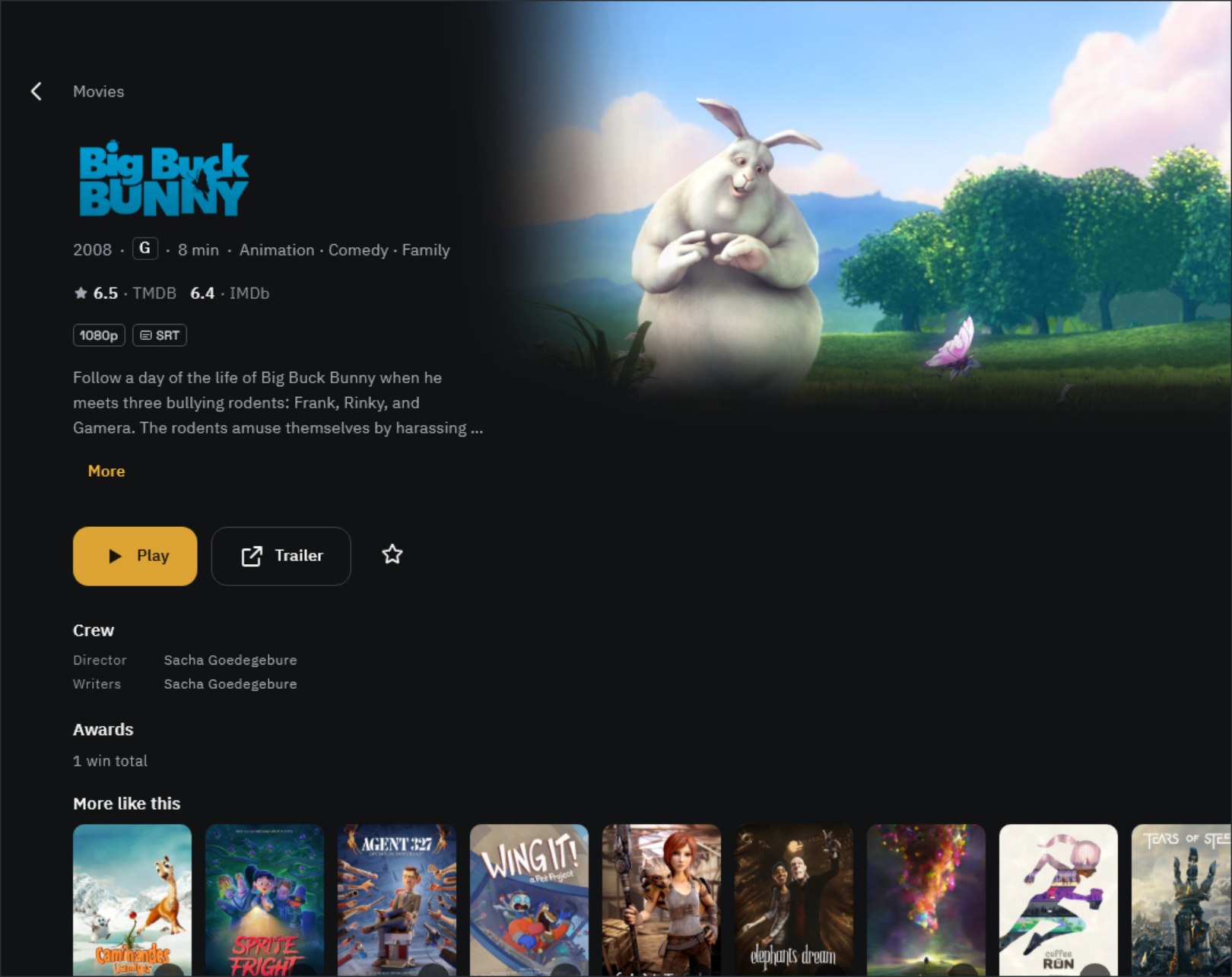
| Source | What it provides | Key |
|---|---|---|
| TMDB | Movies, TV shows and people; posters, backdrops and title logos; synopses, cast, genres, age ratings and similar titles | Required (free) |
| TVmaze | TV shows, seasons and episodes (air dates, episode titles, synopses, stills) and cast | Not needed |
| OMDb | IMDb, Rotten Tomatoes and Metacritic ratings, plus awards. Also a fallback for movies TMDB can’t find | Required (free, 1,000 requests a day) |
- With no keys at all, TV shows still come from TVmaze, but movies show only their file name and a scene thumbnail.
- A TMDB key alone fills in most screens. Add an OMDb key if you want ratings too.
- Info is fetched once when a title is added to your library and stored on this device. It isn’t shared with anyone, and your watch history is never sent.
Get a TMDB key
- Sign up at themoviedb.org and log in.
- In your account menu, go to Settings › API and request an API key. Choose personal use, and keep the app name and description short.
- Once it’s issued, copy either the API Key (short) or the API Read Access Token (long). Either one works.
Get an OMDb key
- On omdbapi.com, open the API Key menu and request a FREE key.
- Check the email with your key and be sure to click the activation link in it. The key won’t work until you do.
Add the key in the app
- Open Settings › Library and scroll down to Metadata.
- Paste the key into TMDB API key and tap Save. The app checks it with TMDB once and lets you know with Key works · Getting title info.
- Add your OMDb key the same way under OMDb API key.
- Once a key is saved, Oulim starts refreshing your library info automatically. With a big library, this can take a few minutes.
- Keys are kept only in this device’s secure storage. On screen, only the last four characters are shown, dimmed.
- If you see This key didn’t work, check for extra spaces at the start or end, and for OMDb, make sure you clicked the activation link.
- Posters and synopses are fetched in the app language. If you change the app language in Settings › Language, Oulim only fetches info for titles that don’t have it in that language yet.
Using several devices
- Videos from an Oulim PC use the title info set on the PC as is. You don’t need a key on every phone and TV, and changes made on the PC show up on all your devices.
- If only your PC has a key, devices added to it get the key when they connect. The other way around, a key added on the first phone you set up (the managing device) goes to the PC. Existing keys are never overwritten.
- For devices where typing a key is a hassle, like a TV, you can also send Metadata keys from your phone with Send settings (see ‘Move files and settings between devices’).
When the info is wrong
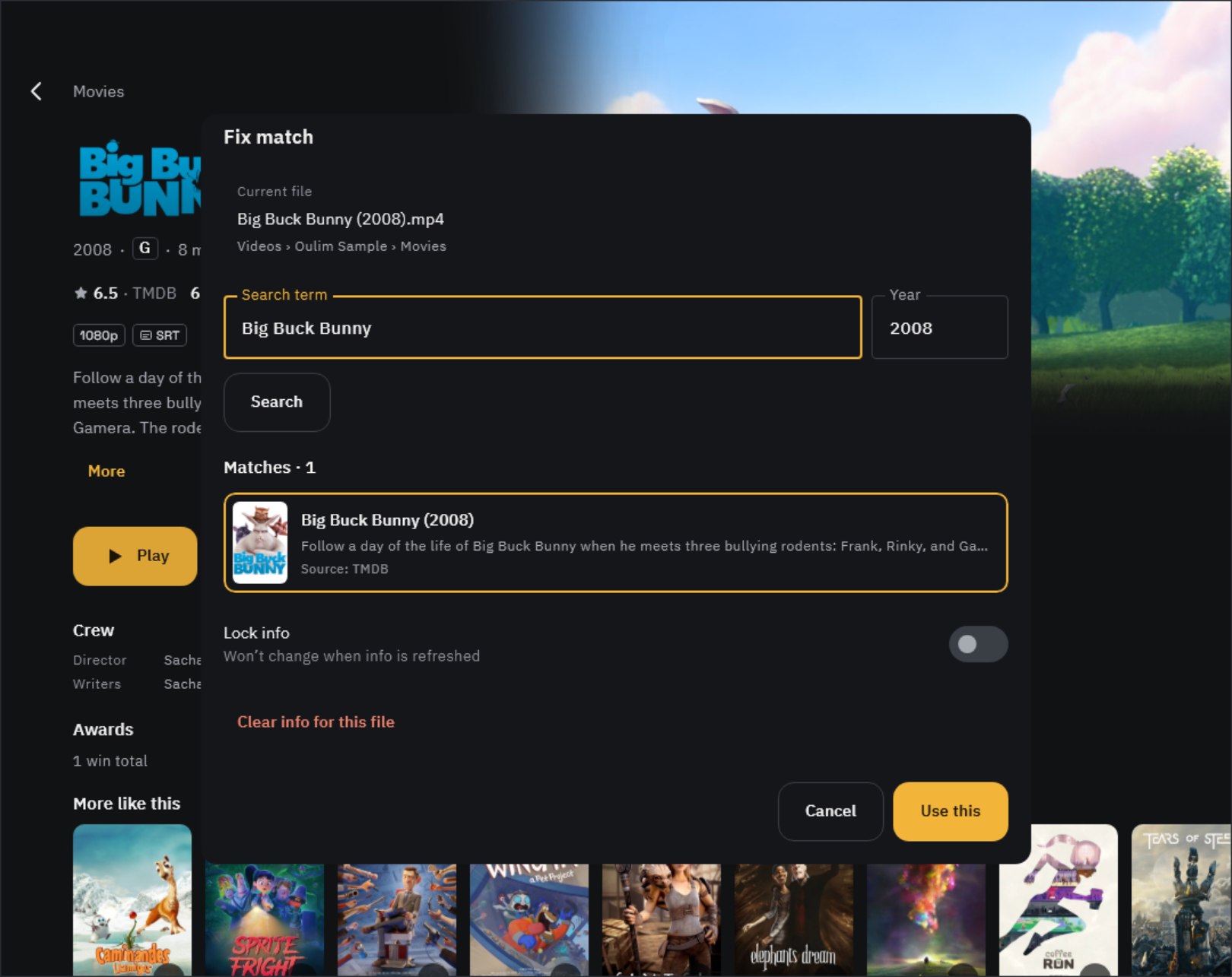
- At the bottom of the detail page, under Wrong info?, tap Fix match.
- Adjust the Search term and Year, pick the right one from Matches, and tap Use this.
- Turn on Lock info so it won’t change on later refreshes. To remove wrong info entirely, use Clear info for this file.
Tip If you fix a video from your PC on a phone or TV, a change request goes to the PC. Approve it in the PC’s Notifications and it’s applied on all your devices.
To get titles recognized right from the start, name your files ‘Title (Year)’. See ‘Organizing your files and folders’ for the full rules.
Credits
Title info is provided by TMDB, TVmaze and OMDb. Oulim uses the TMDB API but is not endorsed or certified by TMDB. You can also find these credits in the app under About & Pro.