
Plays almost anything
Opens with your device’s decoder first. If that fails, it switches to FFmpeg and keeps playing from the same spot instead of stopping.


Clips on your phone, movies on your NAS, series collected on your PC. One app plays them all on phone, tablet, TV and desktop.
Coming soon — we’ll post store links here when it launches
No need to wonder whether a file will play or where it lives.
Opens with your device’s decoder first. If that fails, it switches to FFmpeg and keeps playing from the same spot instead of stopping.
Folders from this device, your NAS and your PC, sorted into movies, series and music — with posters and Continue watching.
Connects to SMB, SFTP, WebDAV and DLNA and plays directly. No downloading, no transcoding.
Leave Oulim for desktop running and your phone and TV can watch that PC’s videos — even away from home, with no relay server, over fast, modern HTTP/3 (QUIC).
On Android TV, find, pick and resume with one remote. You can also add your PC to the TV using your phone.
Watch history, resume points and NAS passwords stay on this device only. No account, no cloud.
Not a stretched phone app on a tablet, or a stretched tablet app on a TV. Every device gets its own layout.
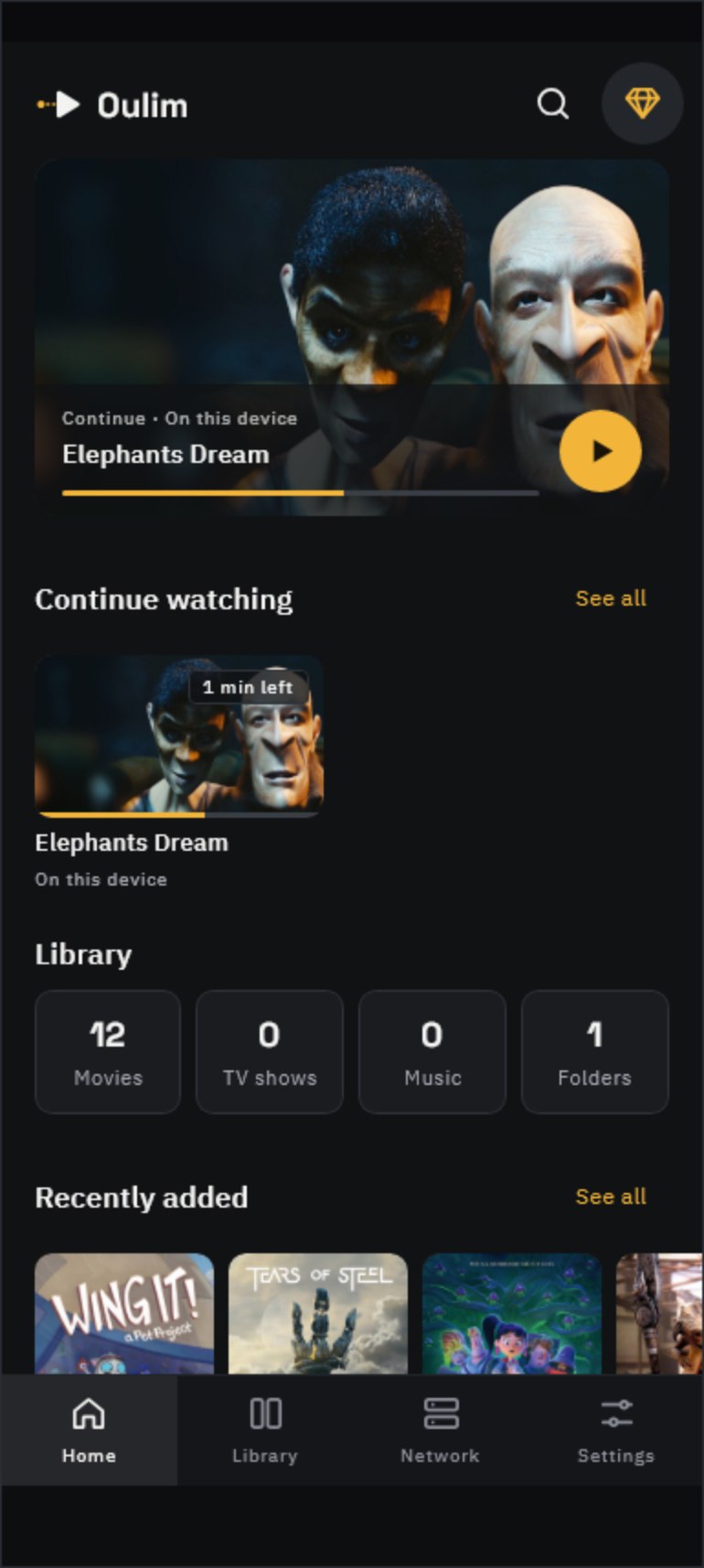
Videos shown are openly licensed works.
Wing It!, Tears of Steel, Sprite Fright, Sintel, Glass Half, Elephants Dream, Cosmos Laundromat, Coffee Run, Charge, Caminandes, Big Buck Bunny, Agent 327 — © Blender Foundation | studio.blender.org · CC BY
No need to buy a NAS. The PC you keep on becomes your home media server.
Pick the folders to share and the media server starts. Windows, macOS and Linux.
Scan the QR code on the PC with your phone and approve it on the PC. Only approved devices get in.
Open a router port automatically (UPnP) or by hand, and devices connect straight to your PC — no relay server. Android phones, tablets and TVs connect over HTTP/3 (QUIC), so playback starts faster.
Android phones, tablets and TVs connect to your PC over HTTP/3 (QUIC), the latest connection protocol from Google.
Put NAS folders in the Oulim library on your PC, and every registered phone, tablet and TV sees those NAS videos through the PC — no NAS setup on each device.
NAS relay needs Pro on both the PC and the device you watch on (it can’t be unlocked with an ad). Devices without Pro see only the PC folders. Nothing is installed on the NAS.
If a phone or TV can’t play a 4K video smoothly, your PC converts it to 1080p or 720p as it streams. The original file on your PC stays as it is.
Available when the device you watch on has Pro. Conversion runs on a Windows PC with Intel, NVIDIA or AMD graphics, one video at a time.
Where your ISP blocks incoming connections (CGNAT and similar), the app tells you why. Connections at home keep working.
Basic playback is free, with no ads. Pro is a one-time purchase you keep — not a subscription.
No fullscreen, banner or mid-playback ads, ever. On free phones and tablets you can unlock NAS videos and advanced audio with a single ad when you choose to; TV and desktop have no ads at all.
| Feature | Free | Pro |
|---|---|---|
| Ad-free basic playbackVideos and music on your device | Included | Included |
| Oulim PC and DLNA playback | Included | Included |
| NAS videos without adsSMB · SFTP · WebDAV | 1 ad | Included |
| Advanced audio playback | 1 ad | Included |
| Edit HTTP headers in URL playlists | Not included | Included |
| 2 Oulim PCs · 15 devices | 1 · 3 | Included |
| Connect to your PC and NAS away from home | Not included | Included |
| Convert PC videos4K resized to 1080p for your device | Not included | Included |
| All future Pro features | Not included | Included |
Oulim never sends your videos or history to our servers.